Free · No account · Works offline

The budget app that never sees your bank account

Track spending, set budgets and reach your savings goals without a subscription, a sign-up or bank sync. Everything is stored on your device, and it works offline.

  • No account or login
  • No bank connection
  • Works offline
  • Install on any device
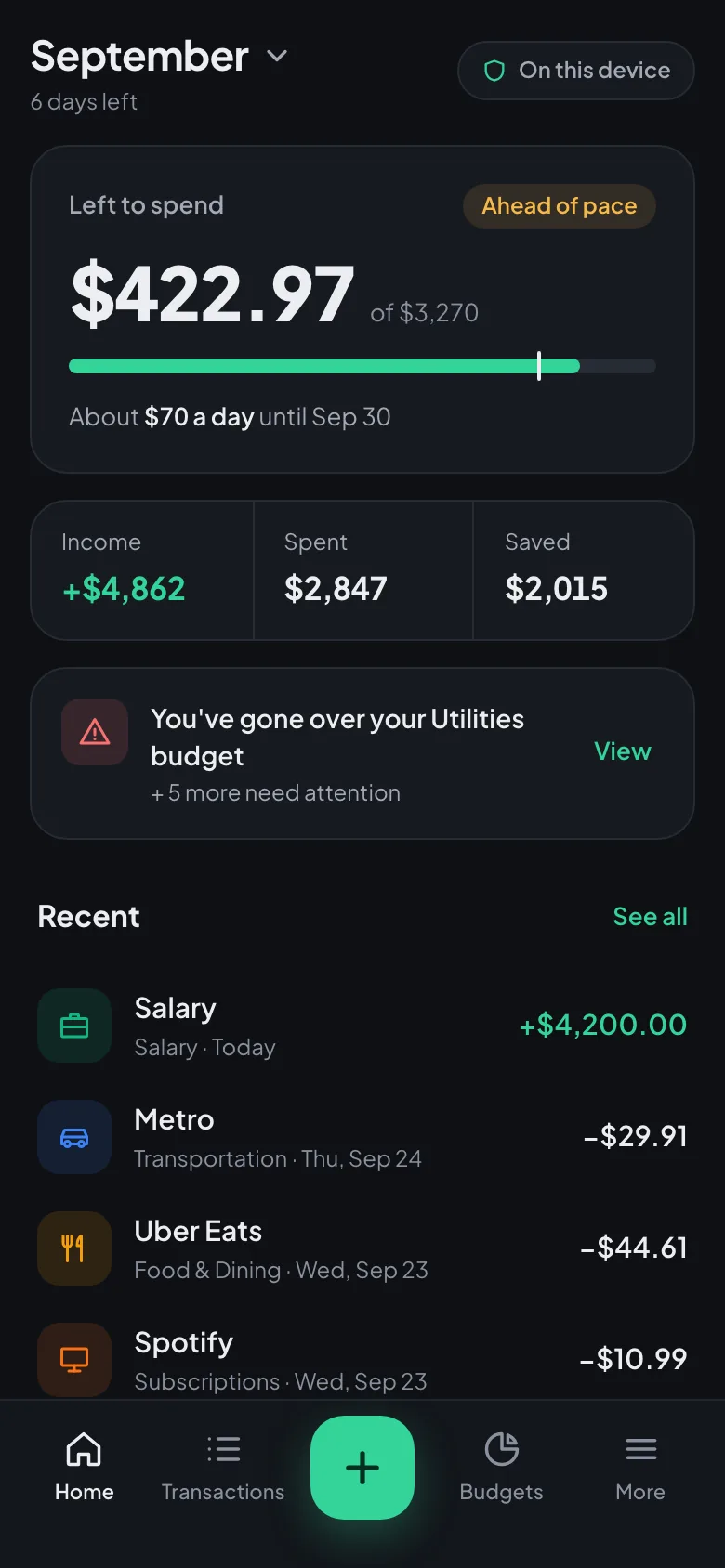
BudgetVault on a phone: $422.97 left to spend this month, an over-budget warning and recent transactions

Features

Everything you need to
master your money

Track spending

Log an expense in a few taps and file it under categories you control. Search, filter, and swipe to edit.

Budgets that keep up

Set a limit per category and see what's left to spend this month. The dashboard flags any budget that runs hot.

Reports and insights

Cash-flow charts, trends and plain-language insights show where your money goes, month by month.

Recurring payments

Add rent, salary or subscriptions once and they are filled in on schedule: weekly, every two weeks, monthly or yearly.

Savings goals

Set a target for an emergency fund or a trip, and watch the progress add up.

Import and backups

Bring your history over from YNAB, Mint, Monarch or your bank's CSV file. Back up to a file you keep, automatically on desktop.

How It Works

Start in minutes,
benefit for life

1

Open it

No sign-up and nothing to download. BudgetVault opens right in your browser.

2

Add what you spend

Type an expense in seconds, or import a CSV file from your bank or your old budgeting app.

3

Install it

Add it to your home screen or dock. It opens like any app and works offline.

Privacy First

Your Data,
Your Device

Unlike other budget apps, BudgetVault stores everything locally in your browser. No servers, no cloud sync, no bank connection. Your financial data never leaves your device.

🔒

100% Local Storage

All your financial data is stored directly in your browser using IndexedDB. No external servers, no cloud sync.

🚫

Zero Financial Tracking

Amounts, descriptions, categories and balances are never uploaded, sold or shared — no account, no bank sync, no cloud. Our analytics count visits and feature use, never your numbers.

⚡

Works Offline

After the first load, BudgetVault works completely offline. No internet connection required.

💯

Always Free

No premium plans, no subscriptions, no hidden costs. Every feature is free, forever.

BudgetVault vs Traditional Budget Apps

Data stored locally
Yes
No
No account required
Yes
No
Works offline
Yes
No
Financial data never uploaded
Yes
No
100% Free forever
Yes
No
No login required
Yes
No
BudgetVault
Other Apps
Try BudgetVault Now

100% free. No sign-up. No bank connection. Ever.

Install the app

One tap from your home screen

BudgetVault opens in its own window with an icon in your Dock or taskbar, starts instantly and works without internet. No app store needed.

  • Opens in one tap
  • Works offline
  • Full screen, no browser bars
  • Free, nothing to update
Steps for every device →

Free. No app store, no account, nothing to update.

FAQ

Common Questions

Is BudgetVault really safe?

Yes. BudgetVault is an offline-first PWA: your transactions, budgets and balances are stored only on your device and are never uploaded to any server. There are no accounts and no passwords. We use Google Analytics and Vercel Analytics to see which pages and features get used — for example, that a transaction was added, never its amount, description or category. Our Privacy Policy lists exactly what each service receives.

Does BudgetVault require a subscription?

No. BudgetVault is completely free with no subscription, no premium plan, and no hidden costs. Every feature is available to every user, forever.

Can I use BudgetVault without an internet connection?

Yes. After the first page load, BudgetVault works completely offline. It is a Progressive Web App (PWA) that stores all data locally in your browser using IndexedDB.

Does BudgetVault sync with my bank account?

No. BudgetVault uses manual entry only. This is intentional — bank sync requires sharing credentials with third parties, which is a major privacy risk. Manual entry keeps your bank account completely secure.

What happens to my data if I clear my browser?

Clearing this site's data deletes your BudgetVault data, because it lives only on your device. Save a backup file from Settings (the app reminds you), and on desktop Chrome or Edge you can turn on automatic backups to a file. On iPhone, install BudgetVault to your Home Screen: Safari can delete the data of websites you haven't opened for a while.

Can I import my transactions from YNAB, Mint or my bank?

Yes. Settings → Import reads CSV exports from YNAB, Mint, Monarch, Revolut and most banks. You match the columns once, check a preview, and duplicates are skipped. The file is read on your device and never uploaded.

Is BudgetVault a good alternative to YNAB or Mint?

Yes, if privacy and cost matter most to you. YNAB is a paid yearly subscription and Mint shut down in 2024; BudgetVault is free, needs no account, keeps your data on your device, and can import your YNAB or Mint history.

Can I install BudgetVault on my phone or computer?

Yes, on Android, iPhone, iPad, Windows, Mac and Linux. On Android and in Chrome or Edge on a computer it installs with one tap; on iPhone and iPad you add it from the Share menu. Our install page shows the steps for your device. Once installed it opens like an app and works offline.

Ready to take control?

Free, no account, no bank connection — your data stays on your device.